Open source · Omarchy plugin
OmaLauncher
Keyboard-first command palette for Omarchy
Find applications, menus, shell features, CLI commands, and plugins using the words you remember—such as plugins, clipboard, or browser default. Launch apps, run actions, assign global shortcuts, and discover, install, or remove plugins without memorizing where anything lives.
- Built for
- Omarchy
- Current build
- v1.3.1
- License
- MIT
What you can do
The current feature set.
This list is synchronized from the project README, so it follows the plugin as it changes.
Omarchy Plugins — search, discover, install, remove plugins.
Type plugin or plugins to put the feature first, then inspect installed, built-in, and community plugins from the same keyboard-first interface.
Search everything together.
Find installed applications, Omarchy menu commands, live shell features, CLI commands, and your own menu additions from one search field.
Keep the context.
Breadcrumbs distinguish similar results and show where every command lives in Omarchy.
Make results yours.
Favorite and reorder important items, create your own search aliases, hide distractions, and recover hidden results at any time.
Make stable actions instant.
Assign, change, or remove global shortcuts for applications, shell features, Omarchy menu entries, safe direct CLI commands, and launcher or plugin navigation.
Act without breaking focus.
Press CTRL+K or right-click a result to search its actions, open its parent menu, or manage personalization.
See shortcuts before you act.
Results with an active Omarchy shortcut or an OmaLauncher-managed global shortcut show that chord in the list; numbered activation hints remain on rows without an assigned shortcut.
Open it your way.
Use the Omarchy bar icon or choose a global shortcut during welcome setup.
Get useful defaults.
An empty search shows favorites and recent items first, followed by browsable applications, menu commands, and shell features. The larger CLI catalog appears when you search, without cluttering that view.
Stay inside familiar Omarchy flows.
Menu actions return to Omarchy, shell features use the shell's own summon API, and CLI commands are passed as literal argument arrays.
Repository visuals
A closer look, straight from the source.
The sequence, labels, and images follow the project README.

Omarchy Plugins — search, discover, install, remove plugins
Screen Time's plugin detail with marketplace preview, install action, source, and registry metadata

Omarchy Plugins — search, discover, install, remove plugins
OmaLauncher's integrated plugin catalog with installed, discoverable, and built-in libraries

Installed applications come first
A live OmaLauncher search for vscode with Visual Studio Code ranked before the related Omarchy command and CLI route

Control running applications
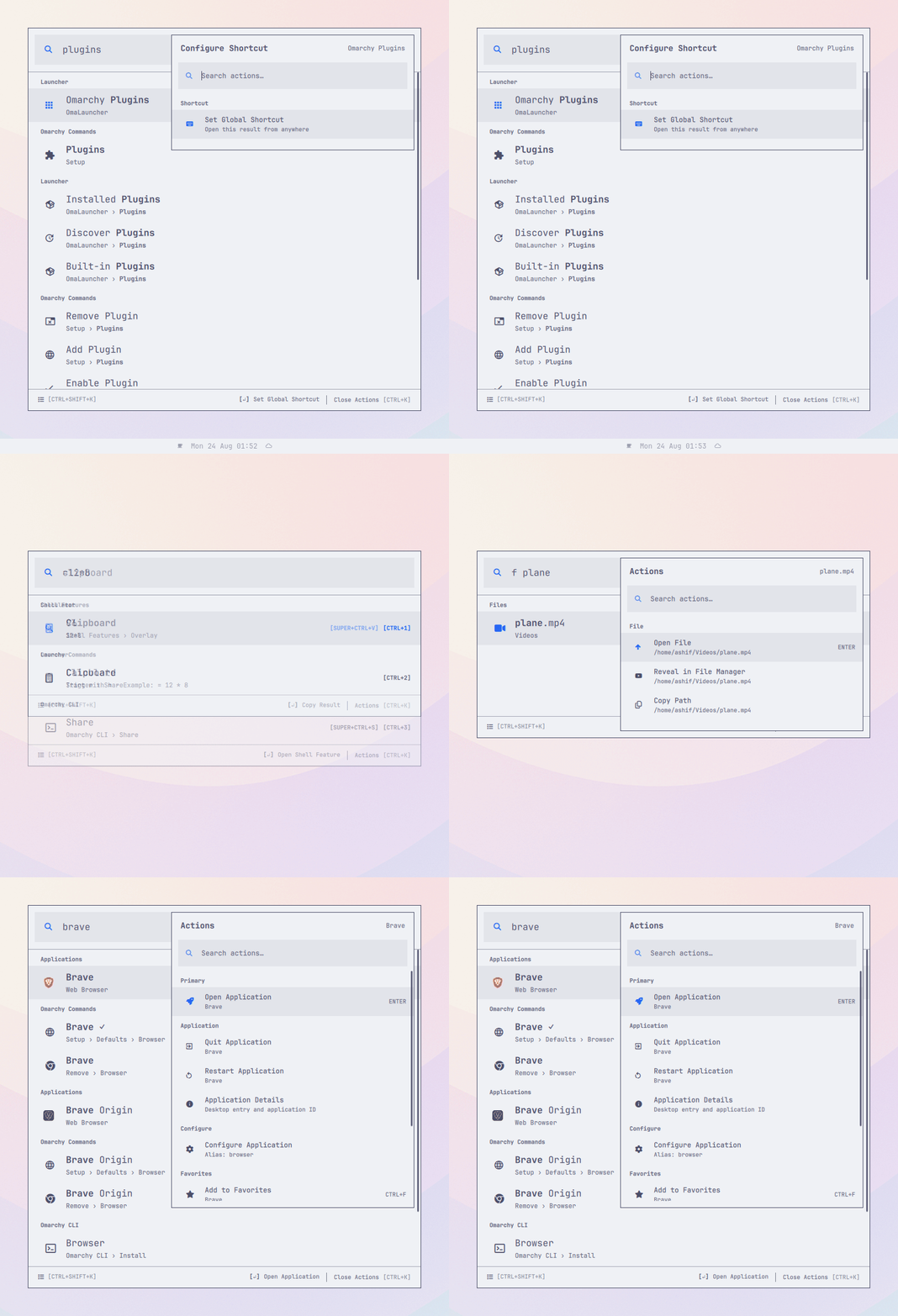
The Brave Action Panel showing open, quit, restart, details, configuration, and favorite actions

Search the live shell, menu, and CLI together
Searching for Clipboard shows the live shell overlay, the related Omarchy menu command, and the Omarchy CLI Share route

Give any stable action a global shortcut
Omarchy Plugins in Root Search with its Set Global Shortcut action

Search with your own language
Brave matched with its parenthesized browser alias

Find local files and folders without searching everywhere
A scoped file-search result with actions to open the file, reveal it in the file manager, or copy its path

Calculate without opening another app
OmaLauncher calculating 12 times 8 and returning 96

Start with what matters to you
OmaLauncher's home showing recent applications, recent commands, and numbered shortcuts
How it works
From intent to result.
The repository’s current operating model, in its own sequence.
- 01
Open OmaLauncher and start typing.
- 02
Applications, menu commands, live shell features, and CLI commands are searched together.
- 03
The closest textual match wins; recent use helps order equally strong matches.
- 04
Press ENTER for the primary action, or CTRL+K for everything else.
Installation
Add it with one Omarchy command.
omarchy plugin add https://github.com/mirashif/omalauncher.git --enable --yes